Focus has a pulse.
So should rest.
A calm macOS break companion that dims every screen when it is time to look away, guarding your eyesight, posture, and deep focus.
 20:00
Focusing
A workday that knows
when to let go.
Choose your focus window, keep short breaks light, and let deeper rests arrive after a natural rhythm you define.
Uninterrupted screen work with background pacing.
Look 20 feet away to relax eye ciliary muscles.
Every 4 cycles, step away for tea or movement.
Every fourth focus cycle, PauseLoop initiates a longer reset so you never burn out.
Every screen goes quiet.
You can too.
A calm full-screen pause appears across every connected display. Choose an atmosphere tint or your custom wallpaper, and return recharged when the timer is done.
Covers secondary and external monitors simultaneously.
Soft breathing tones that soothe tired retinal photoreceptors.
Double-press ESC or click exit to prevent accidental lock-outs.
Skip a break? Welcome a guest.
Take a break to clear your screen.
To solve the trap of ignored notifications, PauseLoop materializes your accumulated rest debt into playful, interactive screen creatures that you pay off one break at a time.
Set the rhythm once.
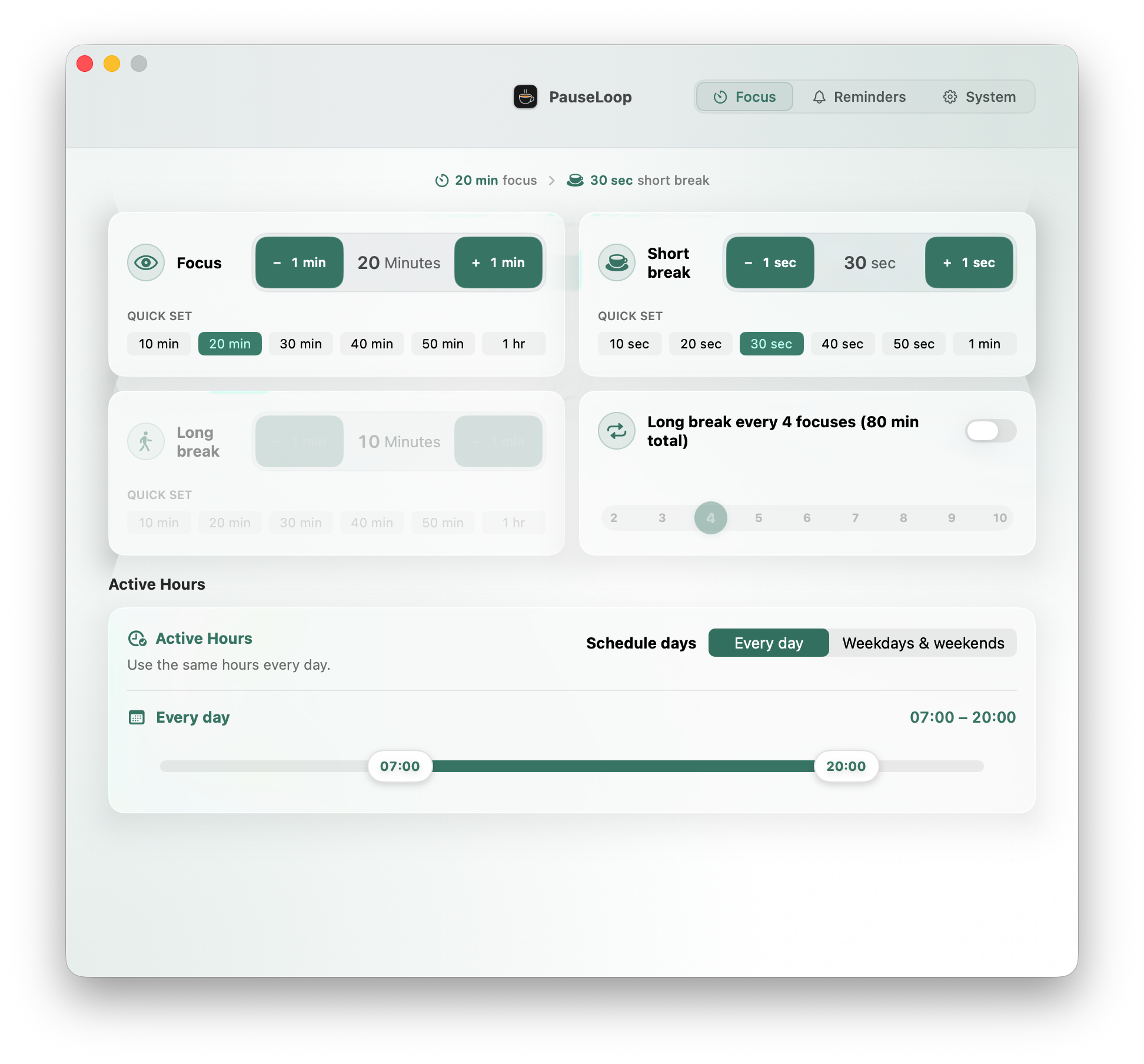
PauseLoop stays in the menu bar and gets out of your way. Configure the parts that matter, then return smoothly to your work.
Shape focus, short breaks, long breaks, and active hours around the way you actually work.
Present when useful.
Invisible when not.
Engineered exclusively for macOS Sonoma and Sequoia with zero performance overhead.
Synchronized Multi-Monitor Immersion
PauseLoop binds to AppKit screen change notifications. Connect or disconnect external displays on the fly, and the overlay seamlessly covers every pixel without stutter.
Soothing Soundscapes
Curated warm harmonic chimes preview transitions without piercing alarms.
Pauses when you step away
Optional idle detection keeps the rhythm honest when you leave your Mac, resuming focus only when you return.
Private by design
Your settings, interval configurations, and timing statistics stay exclusively on your Mac. No accounts, no cloud sync, and zero tracking SDKs.
Install via Homebrew Cask
Prefer command-line package management? Install and manage PauseLoop effortlessly with Homebrew Cask.
brew install --cask LanrenwenStudio/apps/pause-loopOne-Line Install
Run the command above in Terminal. Homebrew will fetch the tap and install PauseLoop.
Keep Updated
Update to the latest version anytime by running brew upgrade --cask pause-loop.
Your next clear thought
begins with a pause.
Set a healthier rhythm for every session on your Mac.